Get a Minimalist Phone
[The founder writes this one-line introduction.]


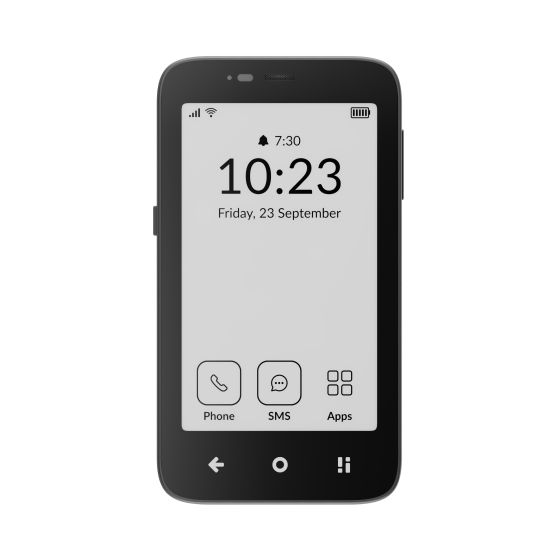
Two ways to set it up
For outings
Your iPhone stays home
Getting a separate, minimalist phone for when you're out of the house is the simplest way to test run things. You get to choose when you're disconnected from your phone.
Figure out what essentials you need when you're on the go, and find the phone that has them. For most, this is: texting, maps, Uber, music, tickets, notes.
Stays home
Goes with you
Important texts reach you · Decaf · a forwarder app · checking in
- Your number
- Stays on the iPhone. The small phone gets a number of its own, about $3–15 a month.
- Backstop
- Banking, sign-in codes and photos stay at home.
Instead of your iPhone
Your number moves to the small phone
Moving to a minimalist phone as your primary device is the biggest lifestyle choice. Higher gain, higher friction.
Figure out which apps and features are most important to you, and which may cause you to want to switch back to a smartphone. Choose the solution that addresses most of these, and consider how you'll address anything left.
Retired
Goes with you
Every text arrives as a plain text · turn iMessage off first
- Your number
- Moves to the small phone. Turn off iMessage and remove your number from Apple's list before you switch.
- Backstop
- None, unless you keep iMessage on a Mac or iPad with your Apple Account email.
The phones below work either way. Where it matters, each answer says so.
Keeping iMessage
For outings · your iPhone stays homeFig. 2 — your Mac at home · the small phone with you
Made by us — the studio behind this guide
Decaf
[One line about Decaf, in the founder's words.]
- What
- A Mac app that keeps iMessage on your Mac at home and sends the important texts to your small phone.
- Reply
- Reply from the small phone; your replies go out from your own number.
- Cost
- $20 once, after a 14-day free trial. Optional Plus, $4 a month.
- Needs
- A Mac that stays awake and online, your iPhone at home with Text Message Forwarding on, and a number of its own for the small phone.
Other ways
Check in at set times
Free. Read your messages when you're home.
A forwarder app on the iPhone
PhoneLeash, Fwrd. Passes texts on one way; no Mac needed.
A phone with sync built in
Dumbphone 2, on its sync plans.
Moving your number for good?
Keep iMessage on a Mac or iPad with your Apple Account email. Free.
The phones
Tap a phone. Each one answers the same questions, in the order people who switched say they miss things most: maps, texting, WhatsApp, typing, camera, work, banking, music.
Before you buy
01
Check your carrier
Not every phone works on every network. Light's phones don't work on Google Fi, Cricket, Metro or Spectrum. Sunbeam's don't work on Visible or Spectrum. Use the maker's checker before you order.
02
Price a second line
For outings, the small phone needs its own number. Talk-and-text lines run about $3–15 a month: Tello from $5, US Mobile from $8, Mint $15. Light's own plan is $25.
03
Know the return window
They differ a lot. Sunbeam: 30 days with a $30 fee. Mudita, Wisephone and Meadow: 14 days. Light: defects only, unless the box is still sealed. A cheap flip is the easiest way to try it first.